Control Panel > Date, Time, Language, and Regional Options > Change the format of numbers, dates, and times:
Automatically Log On to Windows XP: # Click Start, and then click Run. # In the “Open” box, type control userpasswords2, and then click OK. # Clear the check box for Users must enter a user name and password to use this computer, and then click Apply.
# An “Automatically Log On” window will appear. In the dialog box, type the password for Administrator in the Password box, and then retype the password in the Confirm Password box.
Normally, the User Name field will auto fill with “Administrator”, the default super user account in Windows XP that does not come with any password (and normally use as a backdoor hack access to XP system). If you wish, you can change the user name to another user account. # Click OK to close the “Automatically Log On” window, and then click OK to close the “User Accounts” window.
@ nelutarsene - In "User Accounts" nu are decat useru care ii apare la Log On + Guest care nu este activat. Deci ?
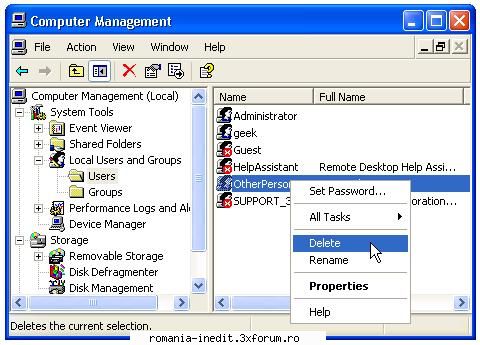
Nu mai situ sigur la XP dar cred ca este asa: Click dreapta My Computer-->Manage-->Services and Applications-->Services-->Secondary Logon-->Startup type trebuie pus pe "Disabled"-->Apply-->OK si la urma restart.
1. De fiecare data cand aprinde PC-ul ii apare Log On'ul (ca in poza de mai jos) dar nu trebuie sa introduca nicio parola,ca nici nu i-am pus, doar sa dea click pe user ca sa intre pe desktop.
Intrebarea mea este : Cum fac Windowsul sa intre direct pe desktop fara a fi nevoit sa dea click acolo la Log On pe userul sau ?
Mentionez ca nu are decat un user care ii apare la Log On.