Forum Romania Inedit
Romania Inedit - Resursa ta de Fun
|
Nou pe simpatie:
Profil ro_xy20
 | Femeie
24 ani
Bucuresti
cauta Barbat
24 - 45 ani |
|
|
Forum Romania IneditReguliInregistrareLoginPozeNu sunteti logat. Lista Forumurilor Pe Tematici
|
| #26 |
|
|
mishuman
am scris undeva pe aici ca pentru amigo este NECESAR ca sa faci restart dupa ORICE modificare referitoare la schema de culoare sau la skin INAINTE de a intra pe harta pt ca altfel o sa ai erori si NEAPARAT cititi fisierele txt din arhivele de skin INAINTE de a le copia. Enjoy.
|
|
| |
|
| #27 |
|
|
pgreed a scris:
mishuman
am scris undeva pe aici ca pentru amigo este NECESAR ca sa faci restart dupa ORICE modificare referitoare la schema de culoare sau la skin INAINTE de a intra pe harta pt ca altfel o sa ai erori si NEAPARAT cititi fisierele txt din arhivele de skin INAINTE de a le copia. Enjoy. |
pgreed: Asa si fac. Oricum multumesc de sprijin. Stiu faptul ca AMIGO nu se restarteaza singur la instalarea unui skin, asa cum face predecesorul sau 8.3.xxx. De asemenea, citesc si am citit toate fisierele txt de la orice arhiva de skin. Se pare ca exista o incompatibilitate intre skin si ce am instalat eu pe PDA.
PS: Nu imi merge versiunea diMkaWertVRVplus_A0152, asa ca am revenit la ce imi functioneaza, adica diMkaWertVRV_A015.
|
|
| |
|
| #28 |
|
|
 daca aveti chef intrati in skin si in .ini puneti restart=1 si o sa fie ok. daca aveti chef intrati in skin si in .ini puneti restart=1 si o sa fie ok.
|
|
| |
|
| #29 |
|
|
pgreed a scris:
daca aveti chef intrati in skin si in .ini puneti restart=1 si o sa fie ok. |
Unde anume se pune acesta instructiune? In ce fisier din skin si la ce set de instructiuni din system.ini?
|
|
| |
|
| #30 |
|
|
dupa ce dezarhivezi skinul (zi sau noapte) gasesti un info.ini ; inauntru pune needs_restart=1
|
|
| |
|
| #31 |
|
|
Merci pentru sfat. PS: Ai spus ceva si de system.ini? Creez si acolo o instructiune de tip:
[theme]
needs_restart=1
|
|
| |
|
| #32 |
|
|
???? pentru ce in system.ini? -posibil sa fie mai comod dar nu stiu daca si functioneaza. De obicei linia se pune in skin.
|
|
| |
|
| #33 |
|
|
Ai dreptate. Solutia ta este cea corecta! Merci! 
|
|
| |
|
| #38 |
|
|
L-am instalat. Arata bine. Dar am o problema ce persista la versiunile 2: cand aleg meniul „in apropiere” imi intra un mesaj de eroare „failed to open file: poi_nakura.spr existing application”. Exista vreo rezolvare, in afara sfatului de a nu mai accesa respectivul meniu?
|
|
| |
|
| #40 |
|
|
DJ.Amigo_v2.2 (pt.Igo8.4 AMIGO)
http://www.filefactory.com/file/ag630fb ... o_v2_2_rar
"DJ.Amigo v2.x" Rezolutii 320x240, 240x320, 400x240, 480x272
--- v2.2 in plus fata de V2.1.1
1. Fixed GPS indicator.
2. Added map changer.
a. Install "MortScript" application PDA or PNA.
b. Copy all files from rar into "amigo" application directry. Attention!!! "amigo.exe" and "content" directory must by together!
c. Copy maps "Teleatlas" into "MAP" Directory. Copy maps "NAVTEQ" into "MAP_NT" Directory. Copy other maps into "MAP_OTM" Directory.
3. Technical adjustments.
|
|
| |
|
| #42 |
|
|
GJ v3.0 for AMIGO 320x240, 240x320, 480x272, 400x240
http://www.filefactory.com/file/ag8f5fd ... o_v3_0_rar
The main difference of v.3.0 that you need to install "MortScript" (PDA or PNA).
To use external scripts "amigo.exe" could be anywhere, but directory "utility" should be beside.
Changes:
1. Revamped button "panic". Now works with "MortScript".
2. Rewritten map changer.
2a. Copy "Teleatlas" maps to the "map" directory.
2b. Copy "NAVTEQ" maps to the "map_nt" directory.
2c. Copy the other maps to the "map_ot" directory.
3.Since Amigo does not work with power management (backlight, volume ...)
on most devices here is try to resolve this problem by direct write
the to registry.
Content of "utility" directory is a part of "DJ.Amigo v.3.0" skin.
File "dj_keys.ini" in this directory must fit for your device and
your needs. You can control all registy's keysr at the time of launch,
exit and switching day/night mode.
Installed Mortscript required.
NB! Path entries in sys.txt with "%SDCARD%" variable not supported.
Please use full real path to memory card, like "\Storage Card\...".
Description of file "dj_keys.ini".
In this file You can write your own registry keys to manage.
In section [startexit] listed keys will be stored before amigo
starts (with DJ.Amigo skin) and keys will be restored on exit.
By adding optional 'start_value' and/or 'exit_value' fields You can
manually set which values will be set during amigo run and on exit.
In section [daynight] listed keys will be modified when day/night
mode switched.
Also these values will be set (depending of time for day or night)
when amigo starts.
Either sections can be enabled/disabled in the DJ settings menu.
4. New GPS port settings.
5. Technical repair.
|
|
| |
|
| #43 |
|
|
diMka Megaduck99 1.1.18
IGO8 8.3.2.XXX - "240_320,240_400,320_240,400_240,480_272"
dimkaspecter83_1.1.18.rar : http://uploaded.to/file/7hyurm/dimkaspecter83_1.1.18.rar
diMkaspecter1.1.18_Dark.zip : http://uploaded.to/file/9qfymq/diMkaspecter1.1.18_Dark.zip
diMka WertVRV 1.1.18
IGO8 8.3.2.XX - 480_234,320_240,240_320,240_400,400_240,480_272,400_234,416_234"
http://uploaded.to/file/9kqciw/diMkaWertVRV_1118.rar
_______________________________________
aa
|
|
| |
|
| #45 |
|
|
diMka WertVRV 1.1.19
"480_234,320_240,240_320,240_400,400_240,480_272,400_234,416_234"
For IGO8 8.3.2._ xxxxx
1. Change of dima8389 in the original skin.
(The compatibility settings intell.mastaba angles with ver. 8.3.2.93112).
2. Information about the bands and billboards in the screensaver. (Included in your band)
3. Minor repairs.
http://www.filefactory.com/file/ag95ah1 ... V_1119_rar
|
|
| |
|
| #48 |
|
|
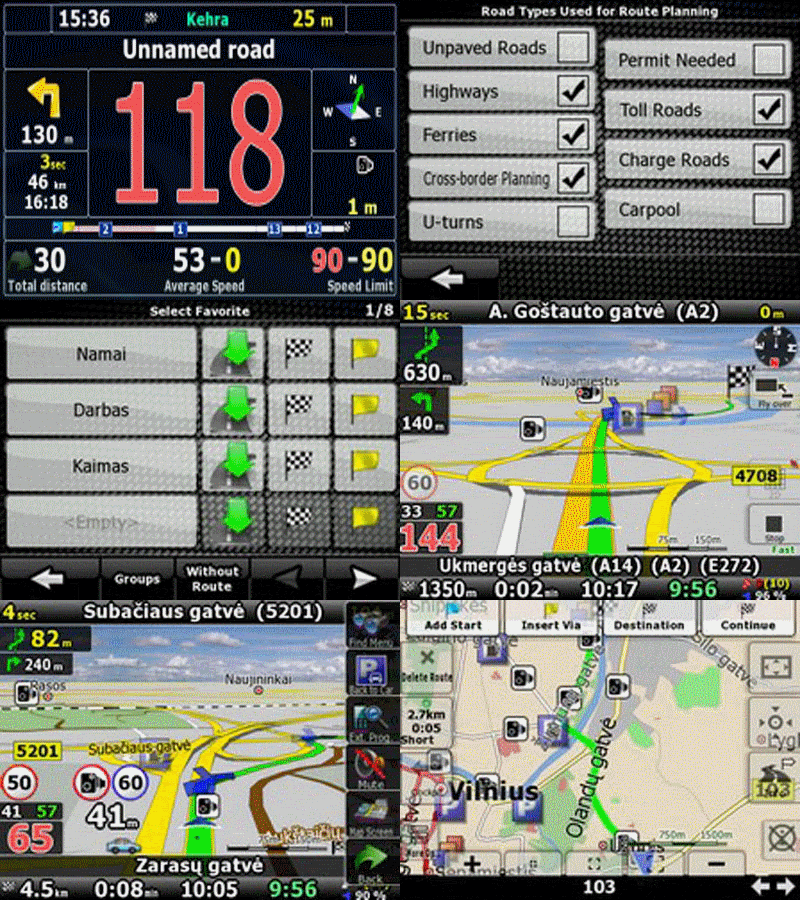
Skin GJ6.9.1.p
Rezolutii: 320_240, 240_320, 240_400, 400_234, 400_240, 416_234, 480_234, 480_272
****** 6.8p - 6.9p - 6.9.1p 2009.07.05 ********
1. Add support 3D cars.
2. Support half-patch "Map Changer"
Copy files in to directories:
2a. Teleatlas -> content/map
2b. navteq -> content/map_nt
2c. Other -> content/map_ot
2d. User -> content/map_us
3. Change signpost "Standart".
4. Technical repairs.
6.9.1p - micro design change.
http://www.filefactory.com/file/ahbhd4b/n/GJ6_9_1p_zip
Skin 6.9.1.p 800x480
http://www.filefactory.com/file/ahbhd4b/n/GJ6_9_1p_zip
|
|
| |
|
| #49 |
|
|
Kymiaci (www.igo8navigation.com) le-a adunat si ni le-a oferit si noua, drept pentru care ii multumim.
diMka Original Version 1.1.20
IGO8 8.3.2.XXX - 240x320,320x240
Download http://uploaded.to/file/5aop0c/dimka83_1.1.20.rar
Thanks to Specter
diMka Megaduck99 v1.1.20
IGO8 8.3.2.XXX "240_320,240_400,320_240,400_240,480_272"
Download http://uploaded.to/file/6bujru/dimkaspecter83_1.1.20.rar
Thanks to Megaduck99
diMka WertVRV v1.1.20
IGO8 8.3.2.XX "480_234,320_240,240_320,240_400,400_240,480_272,400_234,416_234"
Download http://uploaded.to/file/m5tph7/diMkaWertVRV_1120.zip
Thanks to WertVRV
_______________________________________
aa
|
|
| |
|
| #50 |
|
|
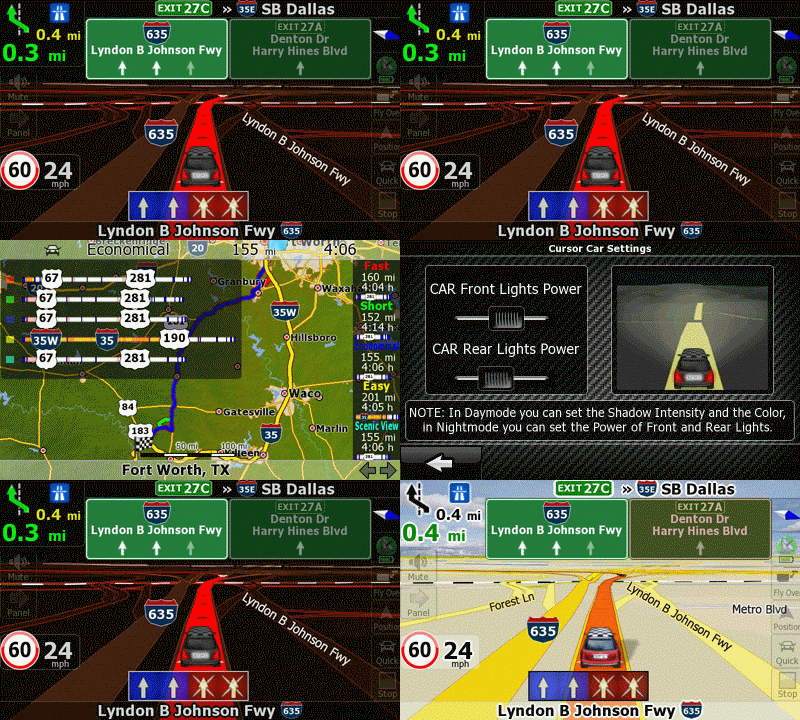
Cateva precizari legate de 3DCars.
Modul de lucru 3DCar permite inlocuirea cursorului cu un altul si nu doar mascarea lui cu un .jpg.
Astfel, formatul .mdl este integrat in aplicatie, aplicandui-se si lui zoom, rotiri verticale/orizontale chiar si in tipul navigatiei.
fara zoom
cu zoom
din fata
profil
La mascarea cursorului cu un .jpg, la sensuri giratorii apar defazari intre .img si cursor.
Se copie folderul 3DCars in radacina iGO8.
In folderul 3DCars se creeaza folderul Themechanger in care se copie MortScript.exe (http://www.megaupload.com/?d=RNN0V0TE)
Structura Directoare :
In SYS.txt se adauga :
[map]
3d_scale_carmodel=1
3dcarsizemin=5000
3dcarsizemax=10000
3dcarsizemul=50000
[3dcar]
work_dir="\Storage Card\iGO8"
mortscript="\Storage Card\iGO8\3DCars\Themechanger\MortScript.exe"
Settings - Map Screen - More options - Cursor CAR - Always off
Settings - Map Screen - 3DSeetings - 3D Car model
O atentie deosebita la adresa SDCard, Storage Card, etc conform adresei din Windows Explorer (vezi Structura directoare)
_______________________________________
aa
|
|
| |
|